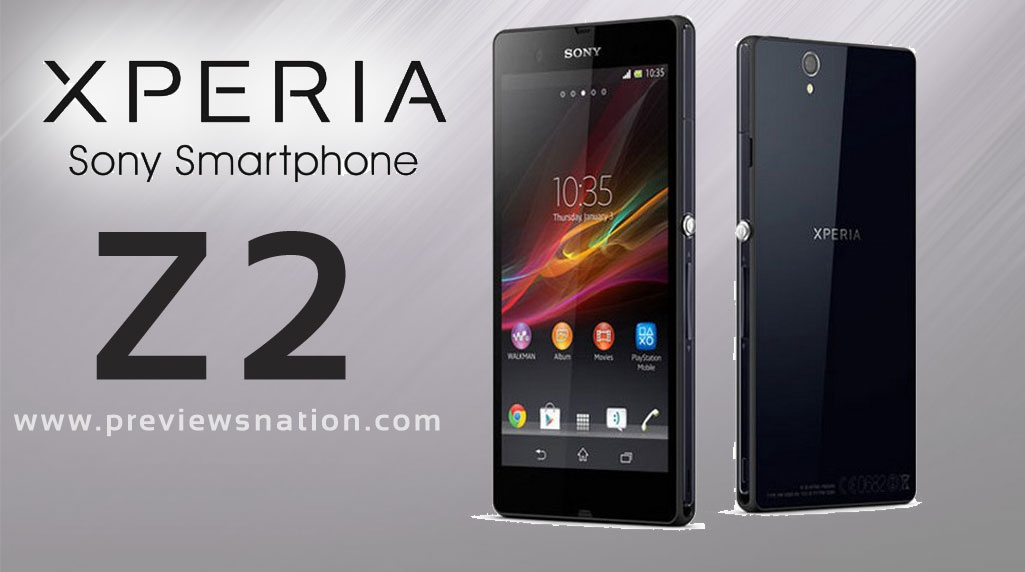
24th February 2014, MWC, Barcelona – Sony Mobile Communications (“Sony Mobile”) today introduces Xperia™ Z2, Sony’s best ever premium waterproof smartphone combining its best display, sound, camera and camcorder experience as well as an exclusive entertainment.
Camera
20.7 MP camera
Display
5.2” Full HD TRILUMINOS™ Display for mobile with X-Reality for mobile picture engine 16,777,216 colours Full HD 1920x1080 pixels
On the inside
Google Android 4.4 (Kitkat) 2.3 GHz Qualcomm MSM8974AB Quad-core
Durability
IPX5 and IPX8 (waterproof) IP5X (Dust protected)
Battery
Talk time: up to 830 hours Standby time: up to 880 hours Music listening time: Up to 110 hours Video playback time: Up to 400 hours Battery: 3000 mAh minimum
Memory
RAM: 3 GB Flash memory: Up to 16 GB Expansion slot: microSD™ card, up to 64 GB (SDXC supported)
Weight
158 grams
Dimensions
146.8 x 73.3 x 8.2 mm
The 20.7 megapixel camera is matched with 1/2.3-type Exmor RS for mobile CMOS image sensor, Sony’s award-winning G Lens and intelligent BIONZ™ for mobile image processing engine resulting in superb photo and video quality. You can now capture memories in stunning detail in 4K resolution (3840×2160 pixels/30p) at four times the detail of Full HD, delivering the world’s best camera and camcorder in a waterproof smartphone1. Plus, SteadyShot™ image stabilisation technology ensures your footage will stay smooth even if you are walking.
The Xperia Z2 Android smartphone is designed with the user in mind, drawing on Sony’s expertise in premium craftsmanship. Evolving Sony’s stunning OmniBalance design, Xperia Z2 has a slimmer and more comfortable feel by having the glass panels encased in a single, solid aluminium frame with smoother edges. This dust-resistant and waterproof (IP55 & IP58) powerhouse blends beauty with function. The dedicated camera button means that you’re ready to capture the action wherever you are – both in and out of the water.
To enjoy the latest content in stunning quality and vivid colour, Xperia Z2’s screen is built using the latest BRAVIA® TV technologies optimised for mobile. The 5.2” Full HD TRILUMINOS™ display for mobile with Live Colour LED.
Xperia Z2 is armed with the power to multi-task and enjoy everything from super-fast web surfing to video streaming without the wait. With the fully integrated Qualcomm® Snapdragon™ 801 processor with 2.3 GHz quad-core Krait CPUs and 4G LTE, Xperia Z2 offers ultra-fast performance for the apps and entertainment you want to enjoy, without the interruptions. The Snapdragon 801 also features the Adreno™ 330 GPU for rich graphics and gaming and a dual ISP for a seamless camera, camcorder and display experience.
By design, Nokia's new Android smartphones will underwhelm users of high-end phones. The Nokia X line was created with emerging markets in mind, so the company emphasised keeping prices low, meaning the user interface is relatively simple.
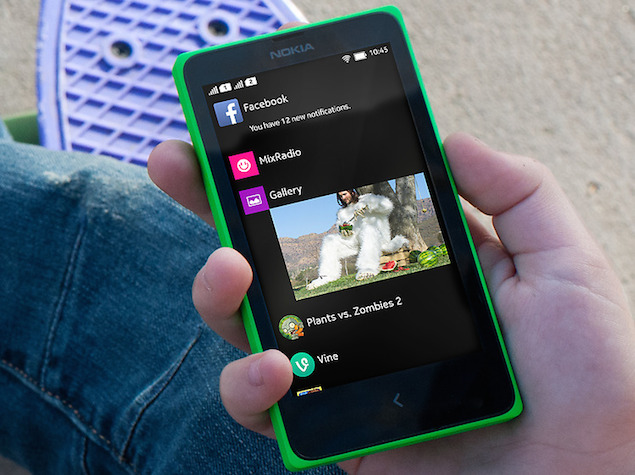
The home screen resembles the one on Nokia's Windows-based Lumia phones, even though it's Android underneath. But Nokia Corp. added a Fastlane feature, a screen with quick access to your most-used apps. You get to it by swiping from the left or right edge of the home screen or tapping the back button at the bottom.
The basic Nokia X phone costs 89 euros ($122) and has a 4-inch screen, measured diagonally, and a 3 megapixel camera. A X+ version with an SD storage card costs 99 euros, while an XL with a 5-inch screen and 5 megapixel camera goes for 109 euros.
In the brief time I've had with the Nokia X at this week's Mobile World Congress wireless show in Barcelona, Spain, I have found the Fastlane feature to be a good start. It's something I would like to see on more phones, including Nokia's Windows devices.
I hate to spend time customising gadgets, getting the icons for the most-used apps on the main home screen. The nice thing about Fastlane is that you don't have to spend any time on that. Your favourite apps are just one swipe away - sort of.
The top of Fastlane shows you what's coming up, whether that's alarms about to ring or future events in your calendar. Below that are your recently used apps. The ones you just used will be at the top, so you don't have to scroll down.
For some apps, you get information that normally comes with notifications, such as previews of text messages or alerts that three people have tried to reach you on WeChat, a Chinese social network. You see small versions of recent photos and can tap for the larger version in the photo gallery app. You see calls you missed, songs you heard and websites you visited.
It could get overwhelming, so you can block certain apps and certain notifications from appearing in Fastlane. In the settings, you can also add a shortcut to one social network, such as Facebook or Twitter.
That's where Fastlane can improve - understanding better which apps I use most over a period of days or months and creating a section at the top for those.
This week, for example, I was too busy to check Facebook, but that doesn't mean I don't use it regularly. But in Fastlane, Facebook would drop toward the bottom in a matter of days, unless I happen to choose it as my one shortcut. Why not make sure the most-used apps are stored as favourites at the top of the screen? Nokia says it's considering that.
Likewise, if I haven't used something for months after using it daily, Fastlane can assume I've grown tired of it and automatically remove it. Myspace anyone?
Nokia doesn't plan to make Fastlane for its Windows phones, and I doubt it'll extend it to rival Android phones, such as my Samsung Galaxy S III. It's something it wants to keep exclusive to its own phones to compete.
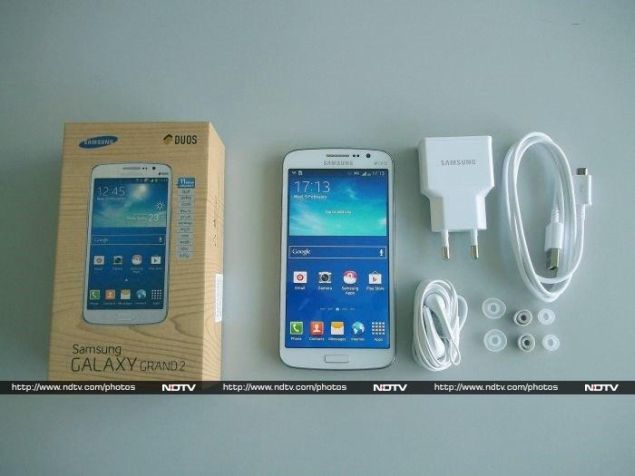
Samsung was one of the first companies to really run with the idea of big-screen phones. Others had tried before and failed, but Samsung managed to turn its original Galaxy Note into a massive success. Big screens have since percolated down to the more budget-oriented phones, but these usually have lower resolutions and weaker processors, negating many of the advantages phones that size. Samsung's own Galaxy Grand was meant to appeal to people who wanted a big screen just for the sake of having a big screen, without paying flagship-level prices.
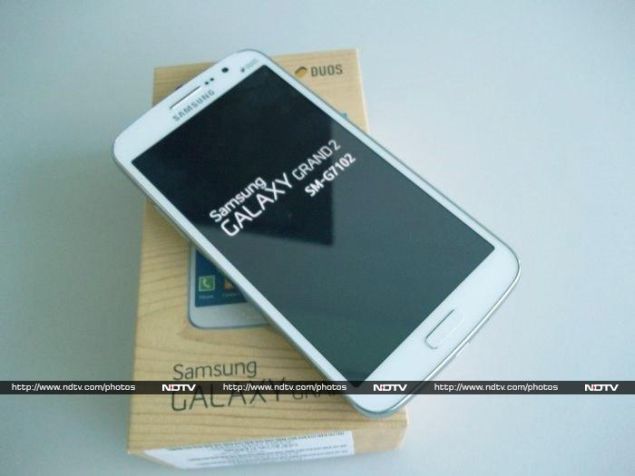
The original Galaxy Note had a 5.3-inch 800x1280-pixel screen, which was pretty cutting-edge in 2011. Today, you can get full-HD 1080x1920-pixel screens in phones that cost a quarter of whatSamsung's late-2011 flagship did at the time of its launch. The company's latest budget big-screen offering, the 5.25-inch Galaxy Grand 2, actually matches the original Note in terms of screen size and resolution. It's only 0.05 inches smaller, and runs at the 16:9 resolution of 720x1280 which is just as tall but a little bit narrower.
In fact, the Galaxy Grand 2 is the perfect example of how far technology has progressed in the past few years. You're getting specifications that match or exceed a flagship that's just a few years old at roughly half its price.
But that fact alone doesn't make the Galaxy Grand 2 a winner. The competitive landscape is full of oversized phones from budget as well as premium multinational brands in the same price range. Some of them offer full-HD screens while others offer octa-core processors. Our detailed analysis of the Galaxy Grand 2's features, specifications and performance will determine whether or not it's good enough to beat them.
Look and Feel
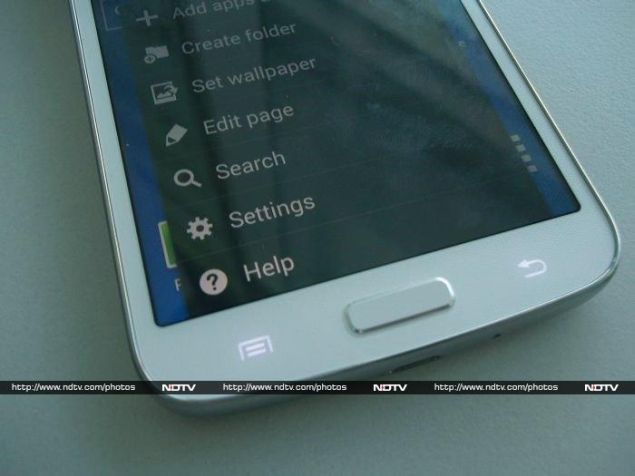
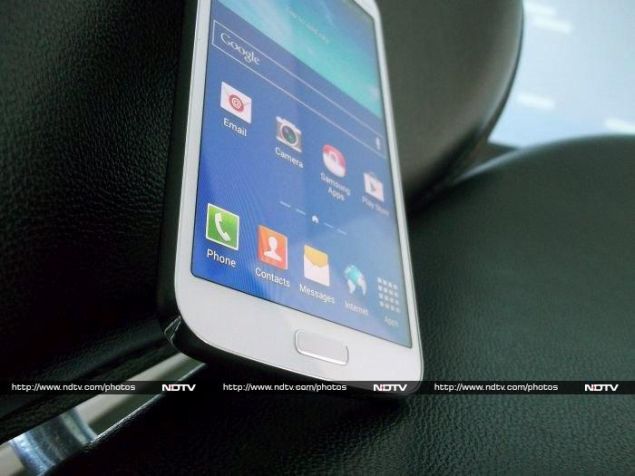
At first glance, the Galaxy Grand 2 is rather striking. Its front face is totally consistent with the rest of Samsung's lineup; a look that hasn't changed much in years. Compared to its predecessor, the Grand 2 is a little more squared off, but is otherwise pretty much the same. There's a shiny chrome-finished ring around its edges, with a similarly shiny earpiece and Samsung and Duos logos above the screen. There's even a matching ring around the home button, just for good measure. The glass front panel is slightly sunken, which makes the metallic elements seem to rise through and around it. Beneath the glass is a white plastic layer with a very subtle honeycomb pattern for texture. It's the sort of thing you only notice if you look at the phone very closely.
Flanking the slightly raised Home button are the usual Back and Menu buttons, but these are of the capacitive touch variety. Their icons light up when you're using the phone, but are otherwise completely hidden. You can tap them whether or not they're lit up, and at least they're in their standard positions.
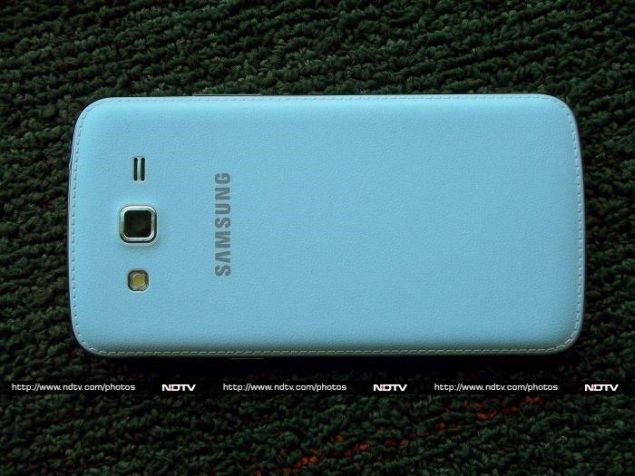
Around the back, we can see the faux-leather texture that has become a signature Samsung flourish, complete with fake stitching around the edges. This design was first seen in the Galaxy Note 3 and has recently popped up again on the Galaxy S4 and S4 Mini black editions. Apple might have moved away from mimicking real-world textures and materials, but Samsung seems to be jumping on this trend whole-heartedly. It does give the phone a good grip, but we personally don't like it at all, and feel it makes the phone look a lot cheaper from the back than it does from the front.
Some of these things feel like contradictions in the Galaxy Grand 2's design. The front and back look nothing alike, and the subtle textures and buttons are offset by the garish silver logos. Samsung clearly doesn't believe that people who buy devices in this price range might appreciate understated elegance, and it seems as though this phone is trying a bit too hard to stand out from the crowd.
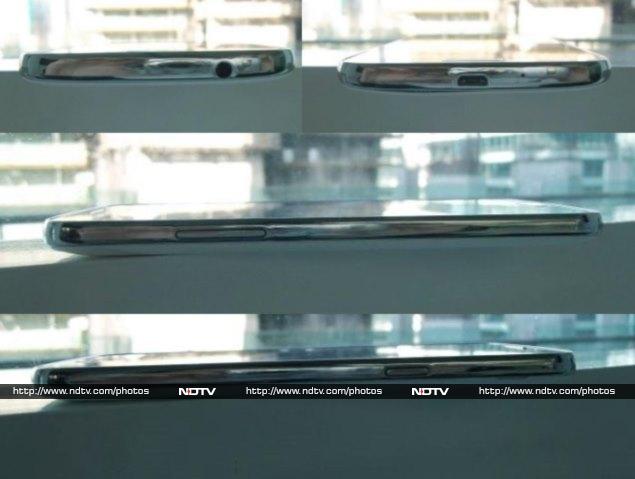
You'll find the standard power and volume buttons on the right and left edges of the phone, but no dedicated camera button. There's a headset jack on the top and a Micro-USB port for charging on the bottom.
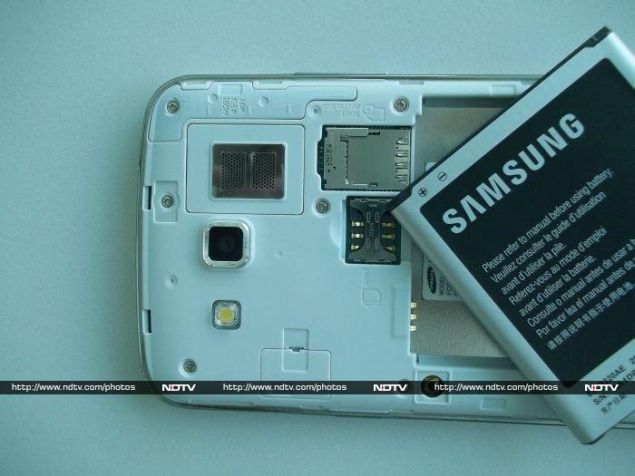
The plastic back peels off quite easily, allowing you to access the battery and card slots. The battery is removable and fairly compact, and you'll need to take it out before you can get to the SIM card slots. The microSD slot is positioned oddly on top of the primary SIM slot and it takes a little fiddling to get the card seated correctly. Both SIM card slots are designed for Micro-SIMs but a Nano-SIM can slide into the second one without any trouble and will stay securely enough for everyday use. Whether this is a deliberate design touch or not, we wish more phones would allow it.
The Galaxy Grand 2 isn't so bulky or heavy that it can't be used in one hand, but typing, for example, is far more comfortable with two hands.
Features and specifications
The Galaxy Grand 2 doesn't have "Duos" attached to its name like the company's dual-SIM offerings tend to, but it does support two GSM SIM cards in dual-standby rather than dual-active mode.
The device is powered by a quad-core Qualcomm Snapdragon 400 system-on-a-chip (SoC) running at 1.2 GHz. This is a mid-range quad-core offering, but it should at least be more powerful than similar processors from Mediatek and Broadcom that are more commonly found in phones at this price point.
There's 1.5GB of RAM, which should be more than enough for smooth multitasking. Samsung has been a little stingy with only 8GB of internal storage space, though you can add up to 64GB more using a microSD card. Both SIM cards use the GSM standard and 3G speeds of up to 21Mbps are supported. Dual-band Wi-Fi n and Bluetooth 4.0 LE are standard, as are the acceleration, magnetic, proximity, rotation and orientation sensors.
The screen is an ordinary LCD, not the more expensive AMOLED type found on Samsung's higher-end products. 720x1280 is a marked improvement over the original Galaxy Grand's 480x800, and we had no problem with the crispness of text and icons on screen. However, we've been spoilt by the full-HD screens on some of today's competing budget phones, and Samsung's large, colourful and widely spaced home screens and main menu only make it more obvious that this isn't a full-HD panel we're dealing with.
Software
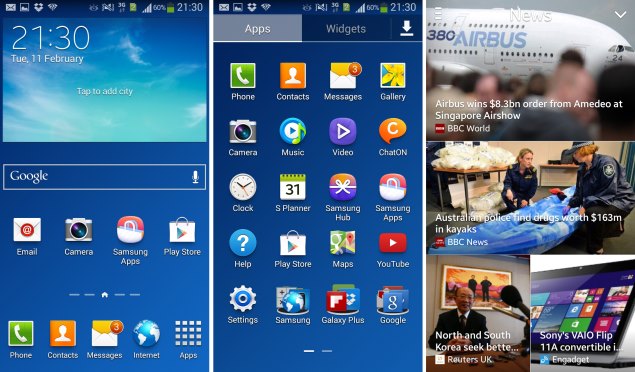
Thankfully, the Galaxy Grand 2 runs Android 4.3 rather than the older versions that seem to be predominant on new phones even today. The bigger story though is Samsung's TouchWiz UI, which is so extensive that there's almost no visual similarity to stock Android anywhere.
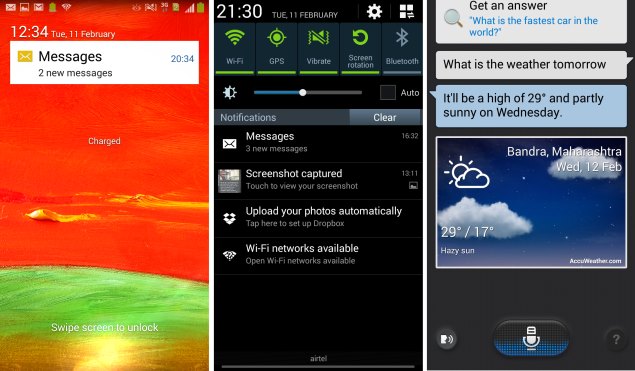
It starts right from the lock screen. Notifications of unread calls and messages are front and centre, and all status bar icons are visible. You'll see a burst of light and an animated lens flare towards the bottom, indicating which way you should swipe to unlock. As you swipe, the flare follows your finger. It's a nice touch, though somewhat unnecessary.
Of course, Samsung has customised the home screens as well. The lower quarter with shortcuts stays constant, while the rest of the space is used by five scrollable panels. The main panel has a large weather widget, Google search box, and a row of shortcuts. Three of the other screens are dominated by one large widget each: Flipboard, Story Album and Samsung Hub. The fifth and final panel is blank, and this is where shortcuts to apps you install will start appearing automatically. You can drag a finger along the indicator below to quickly flip between panels.
Swiping upwards from the bottom brings up My Magazine, a grid of news articles from various sources around the Web, laid out in large photo-heavy tiles. We must say this looks a lot like HTC's Buzzfeed feature. You can adjust the categories of articles that appear, though it doesn't seem like you can tweak the specific websites that articles are sourced from. You can also add your own social feeds and include photos and videos that are stored on your phone. You can also decide whether your text messages and emails appear as tiles mixed in with articles and social updates.
My Magazine seems a bit redundant since Flipboard is already available on one of the home screens. We've been hearing talk of a redesigned TouchWiz home screen for a long time now, and maybe this is a taste of what's to come. For now though, it's something that we'd in all likelihood forget about completely.
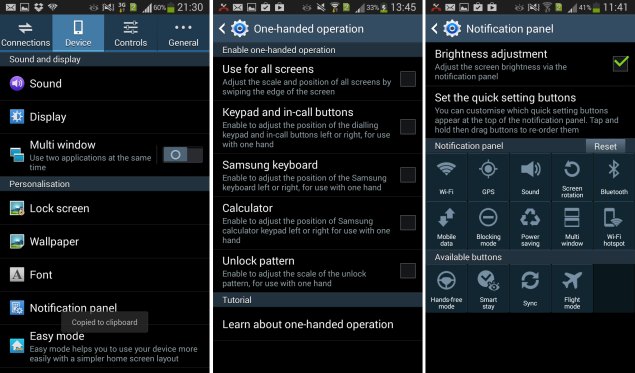
As any Samsung user will know, there are more customised touches to be discovered at every turn. The notification shade has a row of toggle buttons for things like Wi-Fi, GPS, Bluetooth and Power Saving, along with a brightness slider right there, and playback controls if music is playing. The task manager view (brought up by long-pressing the Home button) lets you kill all apps with one tap, launch Google Now, and check out detailed resource usage statistics.
The default keyboard makes good use of screen real estate by adding a row for numbers. It would have been nice to be able to use the Shift key to add symbols quickly, but that isn't possible. There's a smart autocorrect feature that learns your habits, and a Swype clone for gesture-based typing.
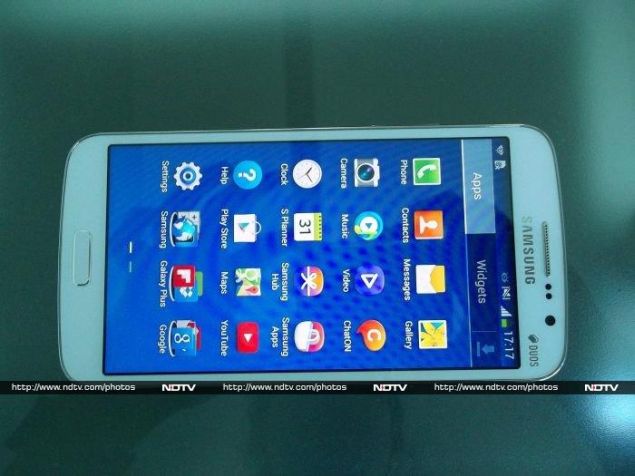
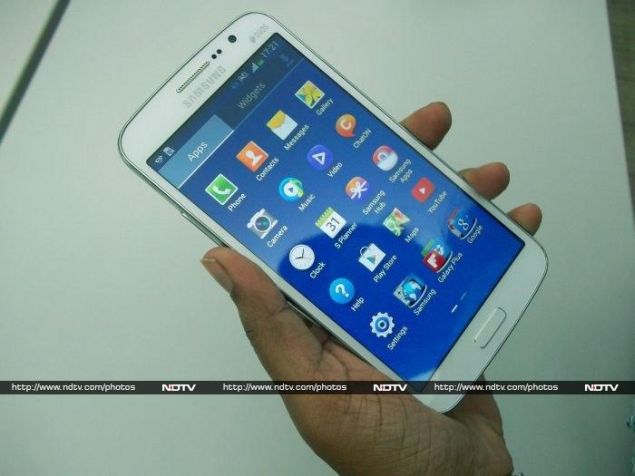
Even the main menu is totally Samsung's creation. App icons have of course been tweaked, and apps and widgets are clearly separated into their own distinct categories. A pinch gesture shows you all available pages as thumbnails, and you can drag to scroll quickly here too. Animation is simple, and we can't find any reason to fault Samsung for changing things around.
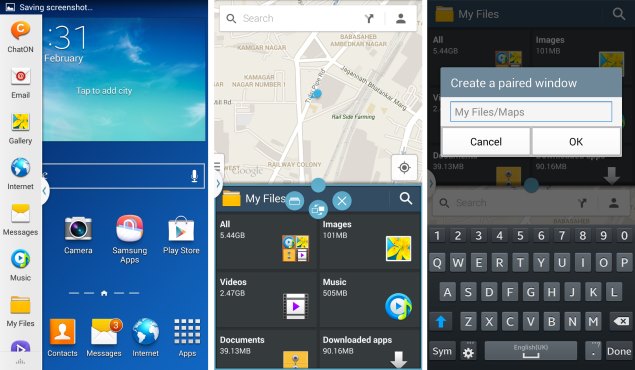
The Galaxy Grand series might not support the S-Pen stylus that gives its Galaxy Note series more utility, but there is one feature that's common to all of Samsung's bigger phones: Multi Window lets you split the screen and run two apps simultaneously. It doesn't work with all apps and it is a bit fiddly, but it can be extremely convenient. You can't simply grab any full-screen app and make it run in a smaller space. You can save combinations of apps and launch them simultaneously. When the feature is enabled, a long-press on the Back button shows or hides the tray that lets you select apps for each slot.
S-voice is Samsung's answer to Siri, and it's accessed by double-tapping the Home button). From there, you can either tap the button on screen or say "Hi Galaxy" to make it start listening for voice commands. There's a pretty extensive list of things you can do, which includes making calls, sending text messages, settings alarms and reminders, having the news read out, adding calendar events, posting to Twitter, launching apps, searching the Web and controlling phone settings such as Wi-Fi and Bluetooth.
You can ask S-Voice a simple question, and it will Google the entire phrase if it can't decide how to process it as a command. This takes a little time, but accuracy is quite good. Even the voice Samsung uses to read responses is not too artificial. S-Voice requires a data connection, and will simply refuse to accept input if both Wi-Fi and cellular data are unavailable, even for simple commands such as toggling phone controls.
The Settings app also has plenty of Samsung tweaks. The whole thing is sorted into four categories: Connections, Device, Controls, and General. Blocking Mode only allows calls and messages from known people, so you aren't disturbed by spam but can still receive important notifications. Easy Mode is a simplified interface suitable for technophobes and first-time users. There's also a SIM card manager that lets you set default actions, and Voice controls that let you handle calls, trigger the camera, and control basic phone functions with your voice. Hands-free mode is suitable for drivers who don't want their attention to leave the road, and One-handed operation contains a number of options that make it easier to use apps, handle calls and type with a single hand.
Samsung hasn't been shy about promoting its own apps either. The company might have recently agreed to cooperate more with Google when it comes to a unified Android ecosystem, but the Galaxy Grand 2 has a boatload of Samsung's own apps on display, while Google's bundled ones are consigned to a folder right on the bottom of the main menu.
The Galaxy Grand 2's house-branded Music and Video apps aren't bad, but they duplicate some of the functionality of the originals, which might confuse some people. We ran into odd issues such as our MP4 files' audio codecs not being recognised (though they work perfectly fine in other apps). Our larger HD videos also didn't play, though FLAC audio did just fine.
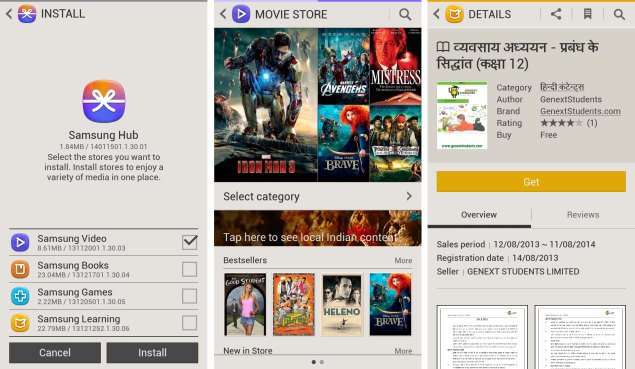
Samsung also has its own app store, called Samsung Apps, which seems to have many well-known names, but also plenty of ripoffs and spam. Alongside that, there's Samsung Hub, which offers videos, books, games and learning material. You can "install" each of these, which then live as their own sections within the Hub and within the respective Samsung apps.
We took a look through them and found quite a few major titles including recent Bollywood releases. Disney's Brave, for example, was available to buy for Rs. 510 or rent for Rs. 75 in standard definition, while HD (720p) versions of the same titles cost Rs. 680 and 100 to buy or rent respectively. 2012's Barfi costs as little as Rs. 25 and 50 to stream in SD and HD, but purchasing it will cost Rs. 610 in either resolution. The more recent Iron Man 3 was only available for purchase, at Rs. 610 or Rs. 680 for SD and HD respectively. There's also a "free zone" with a handful of completely unknown (and completely unappealing) titles.
You're looking at download sizes of 1.2GB for the lower quality and 2.5GB for the higher quality. Trailers are available to stream, and you can stream videos to a network-connected Samsung TV or any DLNA media receiver at home via Wi-Fi.
The Learning Hub offers a variety of books and videos, both free and paid. The material includes everything from TED talks to recipe books, nursery rhymes and foreign language tutorials. Some of the categories are quite bare, but plenty of Indian languages are represented. You might be able to find something of value here, but it's mostly quite messy and some of the titles look rather crudely produced.
Camera
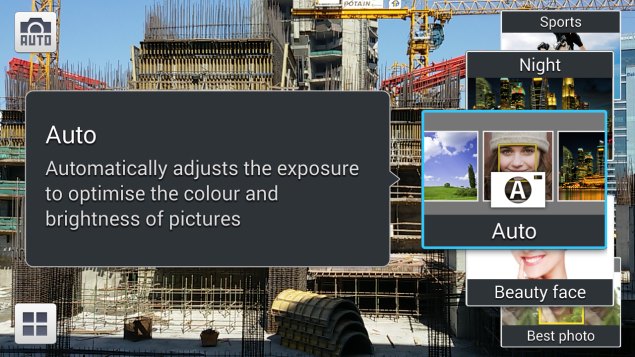
Of course, Samsung couldn't leave the camera interface untouched. There's a large Mode button right next to the shutter release and video capture buttons, which brings up a carousel of options such as Continuous Shot, Beauty Face, Best Face, Rich Tone (HDR), Panorama, Sports and Night. Beauty Face is automatically activated when you switch to the front camera, though we didn't find it made much of a difference. The rest of the modes all have their uses. Swiping up from the bottom brings up a row of filters that let you add effects to photos. Finally, another flyout of options on top lets you control the flash, timer, storage location, voice commands and social sharing options.
We were very pleased with the camera's performance in daylight. The 8-megapixel images we were able to take were richly detailed. Compression noise was visible when zooming in, but not otherwise, even on a big computer monitor. HDR mode produces similarly impressive results. Even the front camera took some impressive shots.
Video is captured at 720p, and is equally impressive. Our test clips came out clean and smooth, with adequate detail even at a distance. However, results for both still and video were only just about passable in low light. That's not too much of a surprise, and we're still happy with the camera's performance overall.
(Click to see full size)
Performance and battery life
We were pleased with the Galaxy Grand 2's performance in our benchmark tests. Qualcomm's Snapdragon 400 is a mid-range workhorse and we're glad to see it put to use here. There's a good balance of CPU and GPU performance, and we were able to achieve 11 frames per second in our GFXbench gaming simulation as well as scores of 5486 and 2798 in 3DMark's Ice Storm and Ice Storm Extreme scenarios respectively. CPU-bound tests were also strong, beating competition based on Mediatek processors which are priced at the same level or a bit lower. We recorded scores of 2662 in Browsermark, 8427 in Quadrant, and 17,030 in AnTuTu. SunSpider completed its run in 1063 milliseconds, which is impressive.
Audio and video playback was also satisfactory. The phone's built-in loudspeaker is loud enough, but very tinny. Its placement on the back also makes music sound awful if your phone is lying on a table. The bundled headset is much better, but you'd still prefer your own earphones for any serious listening. Viewing angles are good, with visibility reducing only at extreme angles. We were surprised at how poorly 1080p videos played: there was stuttering and artefacting in all our test samples. 720p on the other hand played without a hitch (in a third-party app). We also found that the Galaxy Grand 2 got quite hot in our hands while trying to play HD video.
The battery lasted 342 minutes in our SD video loop test. This is just about average, and we would really have liked to see more from Samsung in this department.
Verdict
It's no surprise that competition in the Rs. 17,000 to 22,000 range is hot right now. Features that were once exclusive to phones twice that price are tempting users, and multinational brands now find themselves competing with increasingly well-made phones from local manufacturers.
Still, most phones in this price range tend to advertise a single trick such as a full-HD screen or new processor, while neglecting to mention that these things aren't very useful in isolation. In contrast, Samsung has delivered a well-rounded product that seems to strike a very sensible balance between price, features and performance. Large screens on phones at this price point are no longer crippled by low resolutions, and "quad-core processors" actually have enough meat on their bones to deliver superior performance.
It isn't difficult to give this phone a strong recommendation. Sure, it doesn't stand out in any particular way, but it's got that balance going in its favour. Owners of the previous Galaxy Grand shouldn't feel any pressure to upgrade, but anyone who wants a new big-screened phone today should give the Grand 2 a serious consideration.
Interestingly, Samsung's own Galaxy S4 mini is only slightly more expensive and has similar features in a smaller overall package. If that feels more comfortable in your hand, it's the logical step up.